SGI O2 CPU PROM emulator
PROM emulator for the PROM IC that sits on the SGI O2 R5k/RM5271/RM7000A (and other CPUs that can be fitted on there) modules.
The PROM is responsible for configuring basic CPU functionality like multipliers, endianness, caches etc.
The part numbers used by SGI are truly PROM devices (Programmable Read Only Memory), which means they can be programmed only once. With the PROM emulator, anything can be changed on the fly, nothing needs to be desoldered/programmed/soldered back over and over again.
Besides choosing between a couple of sane bitstreams for each supported CPU, there is also the option for custom config for all CPUs. This process is interactive, there is no need to look at the datasheets and manually craft the bitstream for testing.
The board implements USB CDC-ACM. When connected to a computer, a virtual com port device will be crated. Use a terminal emulator set to 1152008n1 to communicate with the PROM emulator.
The USB cable can be connected for configuration with just the bare PROM emulator, PROM emulator connected to the CPU module while the system is off or PROM emulator connected to the CPU module while the system is on. USB cable is not needed for powering the emulator, it can be removed after configuration (or kept in place, it doesn’t matter, it won’t damage the CPU module even if it’s powered by USB and the system is off).
Bitstream custom configs are non-volatile. The last bitstream set/configured (from the predefined list or custom set) will be loaded automatically every time the CPU requests it. For testing various things, one can leave the USB cable connected, configure the bitstream and simply reset the O2. New bitstream will be piped out immediately.
It can be soldered in place of both 3.3V and 5V devices.
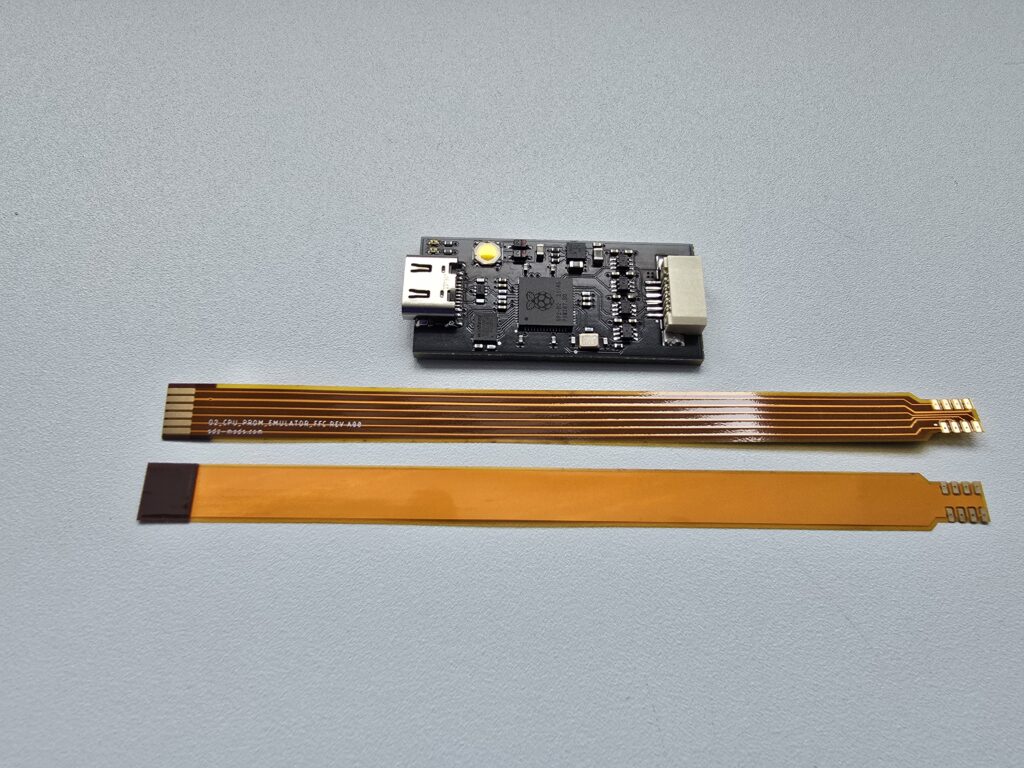
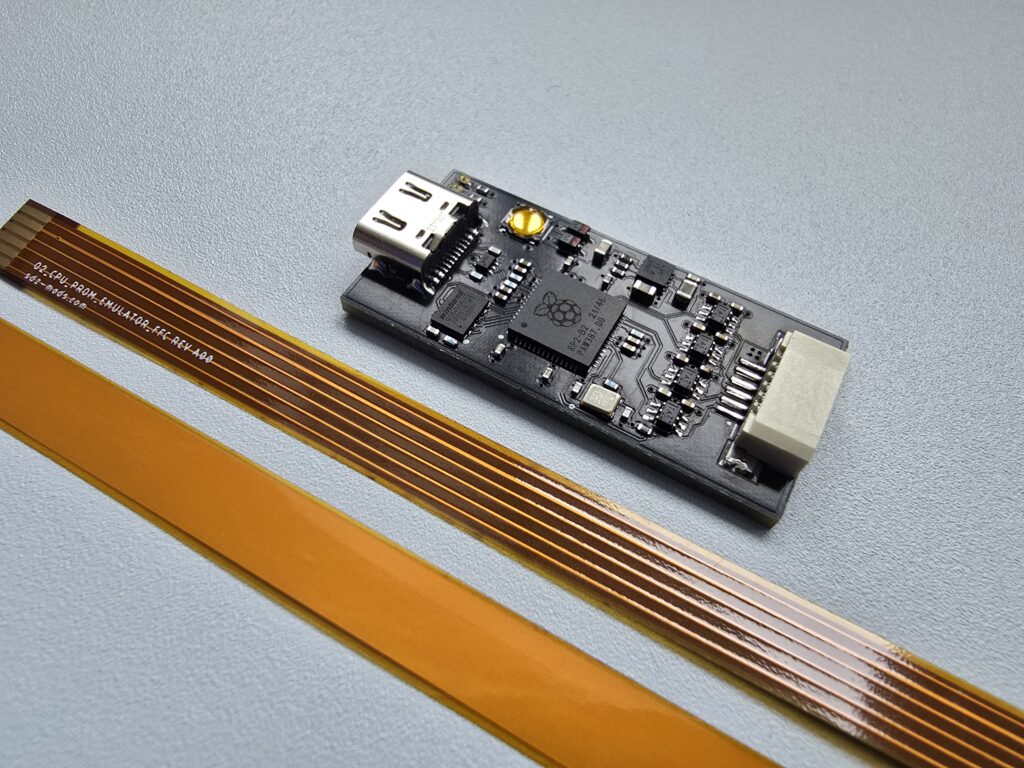
Installation procedure:
-locate PROM device
-desolder PROM device
-solder FFC in place
-connect FFC and place the board where you think it’s best
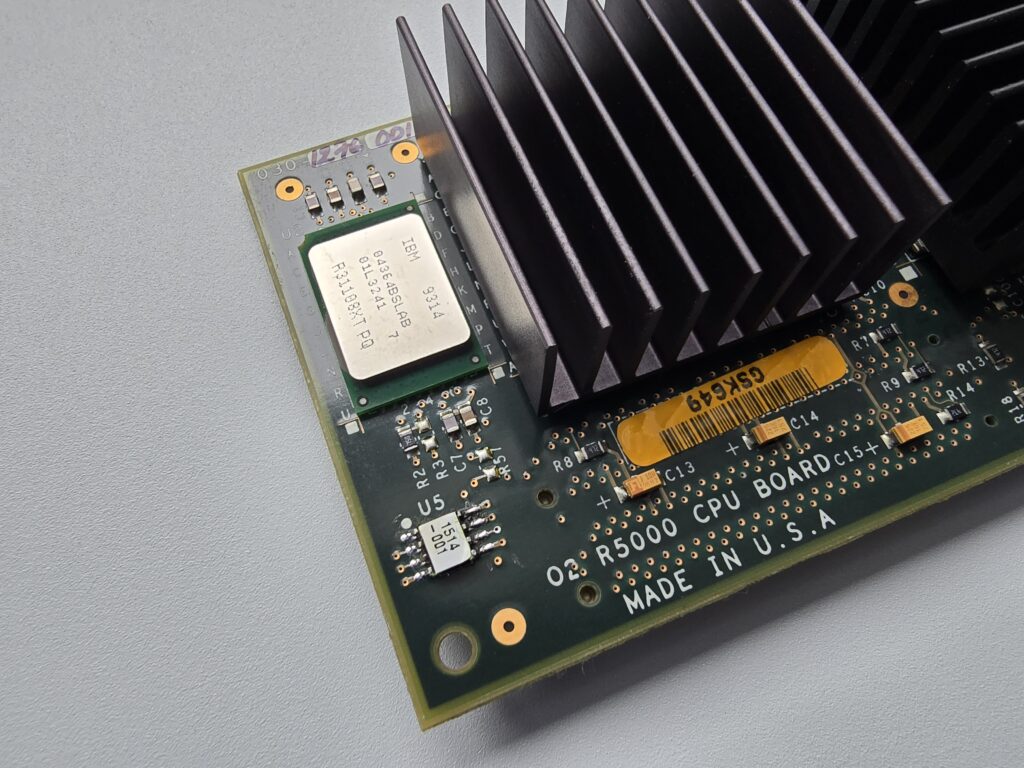
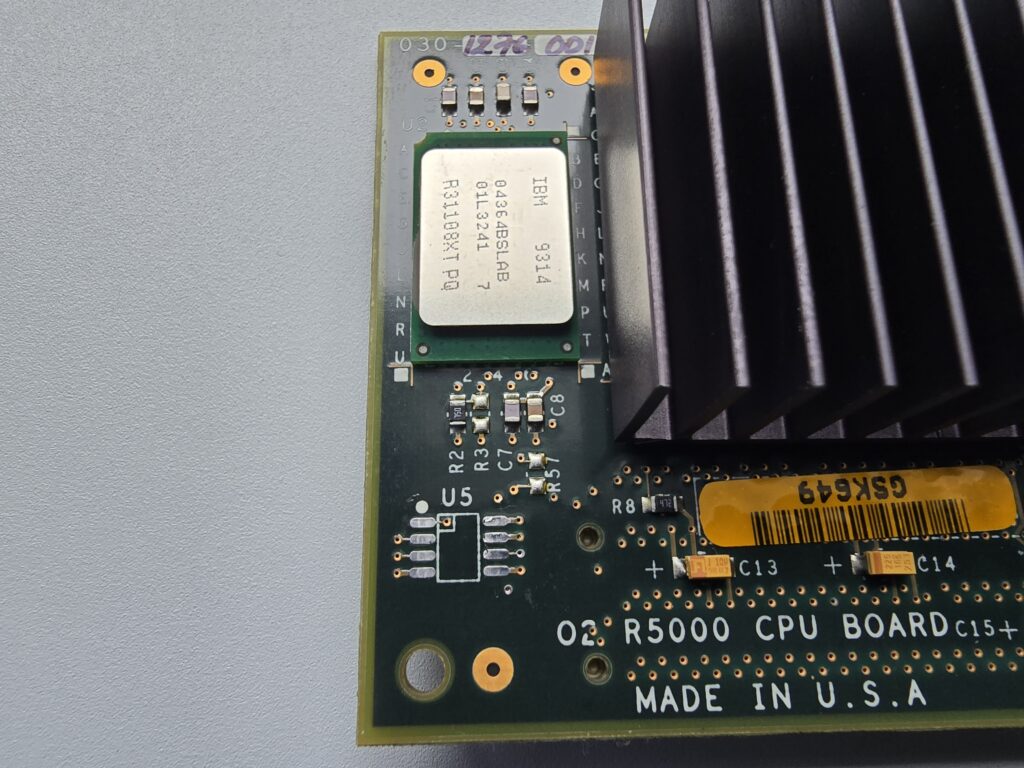
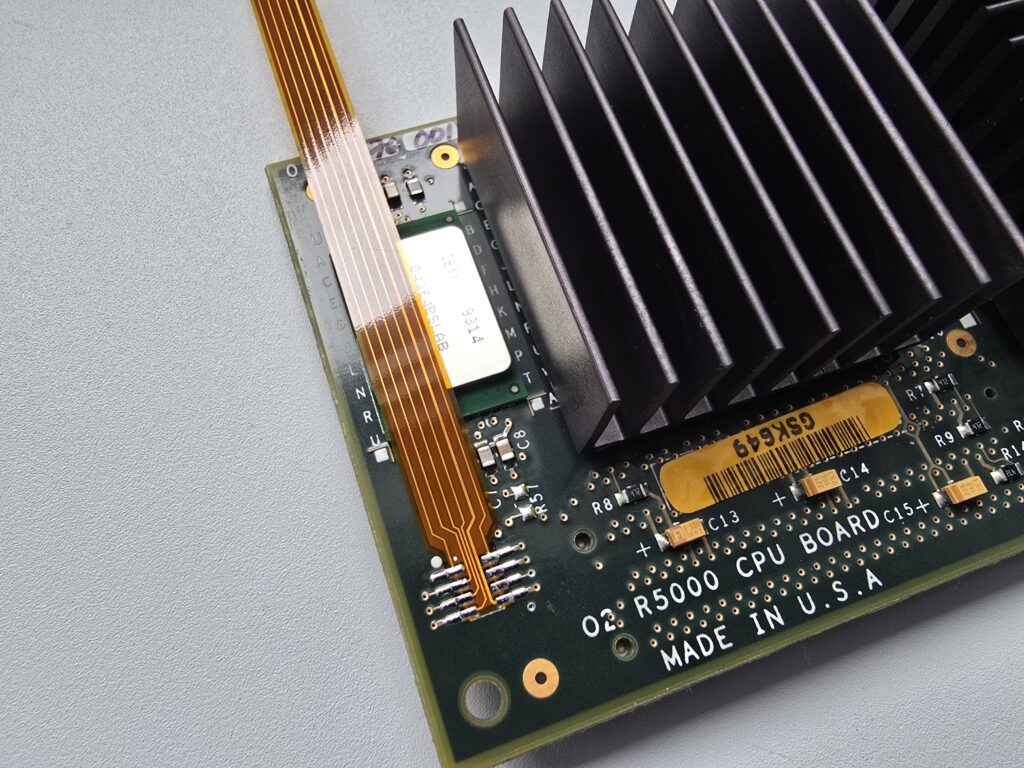
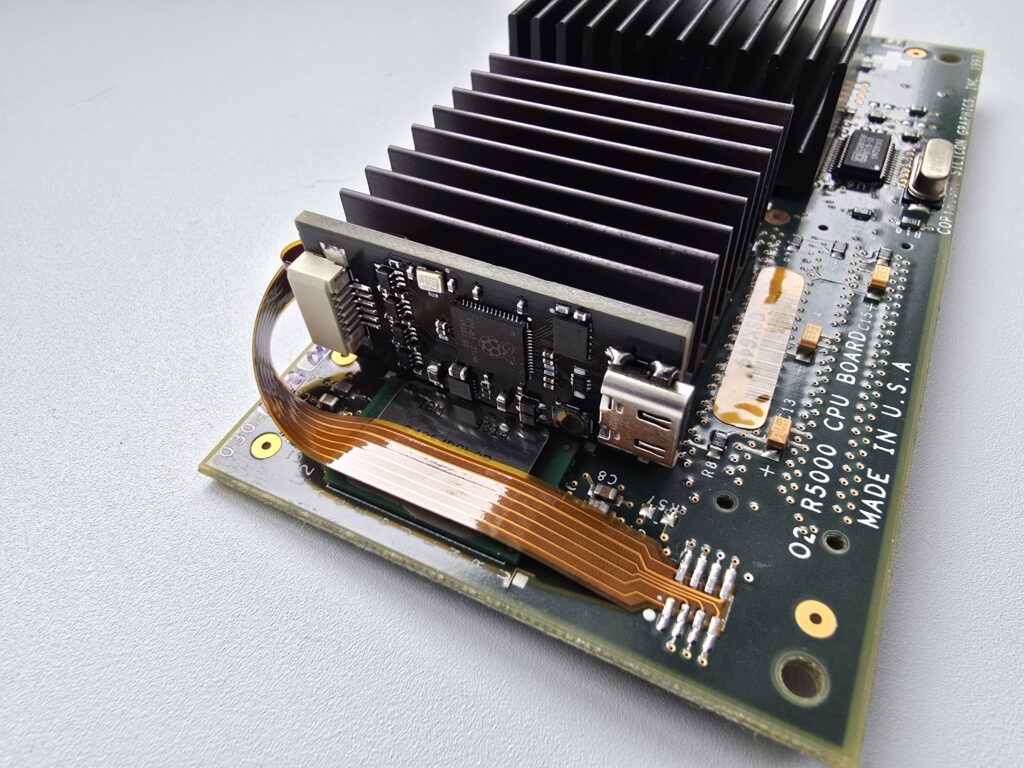
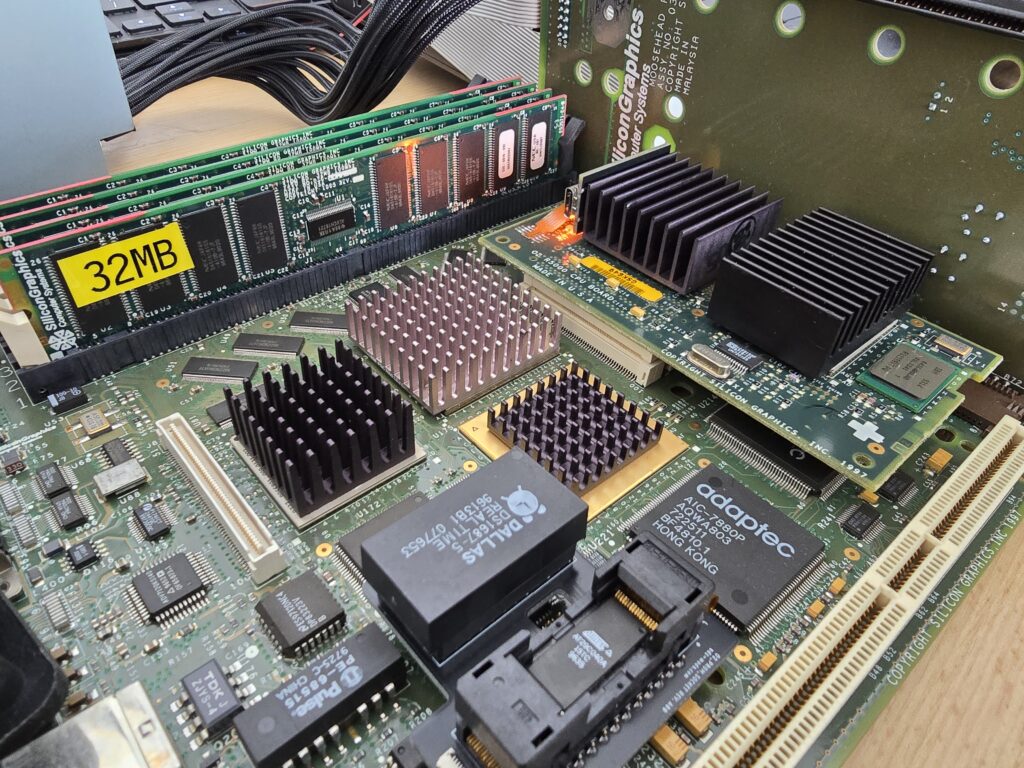
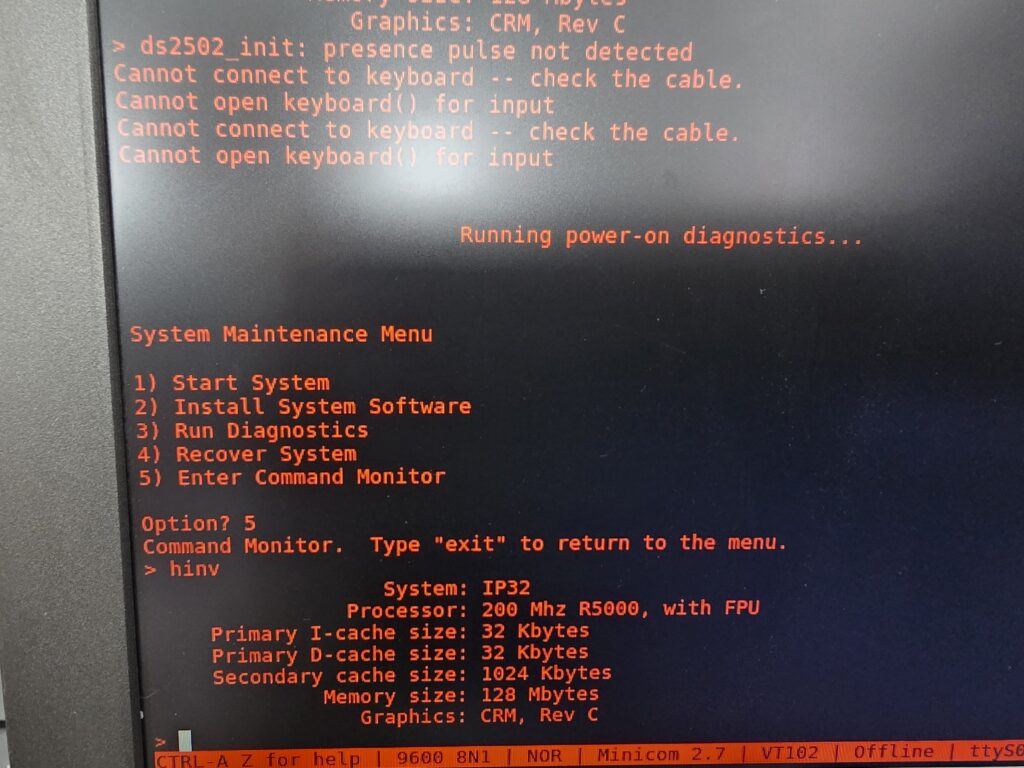
R5k “booted” with the PROM emulator:
Example of interactive config:
========================================
  O2 CPU PROM EMULATOR FW. REV. A00
  CPU: R5000
  Bitstream Profile: default R5000 180/200MHz 512kB secondary cache
  Bitstream: 256 bits
  Mode: Polled (all sends)
  Type 'setup' + Enter for setup menu
  Type 'status' + Enter for status
  Type 'info' + Enter for info
  Type 'boot' + Enter for USB bootloader
  Type 'reboot' + Enter to reboot MCU
========================================
setup
1. R5000
2. RM5271
3. RM7000
4. RM7000A
5. RM7000B
6. RM7000C
7. RM7900 (RM7965 Mode bits)
8. SR71010A
7
1. default RM7900 800MHz tertiary cache off
2. default RM7900 800MHz tertiary cache on
3. default RM7900 900MHz tertiary cache off
4. default RM7900 900MHz tertiary cache on
5. custom
5
[PROM] Existing RM7900 custom bitstream:
0100010000100001000000000000001100000000000000110011111000000010000000000000000000000000000000000000000000011000000000000000000000000000000000000000000000000000000000000000000000000000000000000000000000000000000000000000000000000000000000000000000000000000
1. preBigEndian (bit1)
0. Little-endian
1. Big-endian (default)
1
2. SI32Wide (bit2)
0. 64-bit SysAD (default)
1. 32-bit SysAD
0
3. SADRdOverlap (bit3)
0. Overlap disabled (default)
1. Overlap enabled
0
4. SADWrProt[1:0] (bits5:4)
0. R4000 compatible
2. Pipelined writes (default)
3. Write re-issue
2
5. SADDatRate[3:0] (bits9:6)
0. DDDD (default)
1. DDxDDx
2. DDxxDDxx
3. DxDxDxDx
4. DDxxxDDxxx
5. DDxxxxDDxxxx
6. DxxDxxDxxDxx
7. DDxxxxxxDDxxxxxx
8. DxxxDxxxDxxxDxxx
0
6. ECacheEn (bit10)
0. ECache disabled
1. ECache enabled (default)
1
7. ECBurstMd (bit11)
0. Dual Cycle Deselect (DCD) (default)
1. Single Cycle Deselect (SCD)
0
8. DrvStren[1:0] (bits15:14)
0. 67%
1. 50%
2. 100% (default)
3. 83%
2
9. SyncSysAD[4:0] (bits20:16, use 0..15; bit20 reserved=0)
0..15 map to 2:1..17:1 when SyncHalfSysAD=0  (default 0)
0
10. SyncHalfSysAD (bit21)
0. Integer ratios (default)
1. Half-integer ratios
0
11. TimIntDis (bit26)
0. Timer enabled (default)
1. Timer disabled
0
12. Timer1X (bit27)
0. Normal frequency (default)
1. 1X frequency
0
13. SysConfig[1:0] (bits29:28)
0. 00
1. 01
2. 10
3. 11
1
14. OCacheEn (bit30)
0. OCache disabled
1. OCache enabled (default)
1
15. OTClrEn (bit31)
0. OTag clear disabled
1. OTag clear enabled (default)
1
16. ParChkDis (bit32)
0. Parity check enabled (default)
1. Parity check disabled
0
17. TLB64Ent (bit33)
0. 48-entry JTLB (default)
1. 64-entry JTLB
0
18. MIPS64Compat (bit35)
0. MIPS IV compatibility (default)
1. MIPS64 compatibility
0
19. CkPdAlgn[1:0] (bits42:41)
0. 00 (default)
1. 01
2. 10
3. 11
0
20. PLLDis (bit43)
0. PLL enabled (default)
1. PLL disabled
0
21. DivMa2Core (bit44)
0. Divide by 1 (default)
1. Divide by 2
0
22. MulFundCore[4:0] (bits49:45)
0..15 => multiply by 2..17  (default 6)
6
23. DivXCore[4:0] (bits54:50)
31. Divide by 1 (recommended) (default 31)
31
[PROM] RM7900 custom bitstream saved.

========================================
  O2 CPU PROM EMULATOR FW. REV. A00
  CPU: RM7900
  Bitstream Profile: custom
  Bitstream settings: Endianness: BE, SysAD: 64-bit, Overlap: OFF, WriteProt: pipelined writes, DatRate: DDDD, ECACHE: ON, ECBurst: DCD, DRVOut: 100%, Ratio: 2:1, TmrInt: ON, Timer1X: normal, SysCfgID: 1, OCache: ON, OTagClr: ON, ParChk: ON, JTLB: 48-entry, MIPS64: OFF, CkPdAlgn: 0, PLL: ON, Div2: OFF, Mul: x8, DivX: 1
  Bitstream: 256 bits
  Mode: Polled (all sends)
  Type 'setup' + Enter for setup menu
  Type 'status' + Enter for status
  Type 'info' + Enter for info
  Type 'boot' + Enter for USB bootloader
  Type 'reboot' + Enter to reboot MCU
========================================
========================================
O2 CPU PROM EMULATOR FW. REV. A00
CPU: RM7900
Bitstream Profile: custom
Bitstream settings: Endianness: BE, SysAD: 64-bit, Overlap: OFF, WriteProt: pipelined writes, DatRate: DDDD, ECACHE: ON, ECBurst: DCD, DRVOut: 100%, Ratio: 2:1, TmrInt: ON, Timer1X: normal, SysCfgID: 1, OCache: ON, OTagClr: ON, ParChk: ON, JTLB: 48-entry, MIPS64: OFF, CkPdAlgn: 0, PLL: ON, Div2: OFF, Mul: x8, DivX: 1
Bitstream: 256 bits
Mode: Polled (all sends)
Type 'setup' + Enter for setup menu
Type 'status' + Enter for status
Type 'info' + Enter for info
Type 'boot' + Enter for USB bootloader
Type 'reboot' + Enter to reboot MCU
========================================
setup
1. R5000
2. RM5271
3. RM7000
4. RM7000A
5. RM7000B
6. RM7000C
7. RM7900 (RM7965 Mode bits)
8. SR71010A
2
1. default RM5271 300MHz secondary cache off
2. default RM5271 300MHz secondary cache on
3. default RM5271 350MHz secondary cache off
4. default RM5271 350MHz secondary cache on
5. custom
5
[PROM] Existing RM5271 custom bitstream:
0000010010101010000000000000000000000000000000000000000000000000000000000000000000000000000000000000000000000000000000000000000000000000000000000000000000000000000000000000000000000000000000000000000000000000000000000000000000000000000000000000000000000000
1. 64-bit Write-back data rate
0. DDDD (default)
1. DDxDDx
2. DDxxDDxx
3. DxDxDxDx
4. DDxxxDDxxx
5. DDxxxxDDxxxx
6. DxxDxxDxxDxx
7. DDxxxxxxDDxxxxxx
8. DxxxDxxxDxxxDxxx
0
2. SysClkRatio
0. Multiply by 2
1. Multiply by 3 (default)
2. Multiply by 4
3. Multiply by 5, 2.5
4. Multiply by 6
5. Multiply by 7, 3.5
6. Multiply by 8
7. Multiply by 9, 4.5
7
3. EndBit
0. little-endian
1. big-endian (default)
1
4. Non-block write mode
0. R4000 compatible
2. Pipelined non-block writes (default)
3. Non-block write-reissue
2
5. TmrIntEn
0. Timer Interrupt Enabled (default)
1. Timer Interrupt Disabled
0
6. Secondary cache present
0. Not Present
1. Present (default)
1
7. DrvOut
0. 67%
1. 50% (slowest)
2. 100% (default)
3. 83%
2
8. Secondary cache RAM type
0. Dual Cycle Deselect SRAMs (default)
1. Single Cycle Deselect SRAMs
0
9. User configuration identifiers (Config[21..20])
0. 00
1. 01
2. 10
3. 11
0
10. Multiply mode (bit20)
0. Integer Multiplier (default)
1. Half-integer Multiplier
1
[PROM] RM5271 custom bitstream saved.
========================================
O2 CPU PROM EMULATOR FW. REV. A00
CPU: RM5271
Bitstream Profile: custom
Bitstream settings: WriteBackRate: DDDD, Multiplier: x4.5, Endianness: BE, pipelined non-block writes, TmrIntEn: ON, Secondary cache: ON, DRVOut: 100%, SRAM type: Dual Cycle Deselect SRAMs, UserCfgID: 00, Mult mode: half-integer
Bitstream: 256 bits
Mode: Polled (all sends)
Type 'setup' + Enter for setup menu
Type 'status' + Enter for status
Type 'info' + Enter for info
Type 'boot' + Enter for USB bootloader
Type 'reboot' + Enter to reboot MCU
========================================Attached SGI_O2_CPU_PROM_EMULATOR_A00_RELEASE.zip archive. It contains the following:
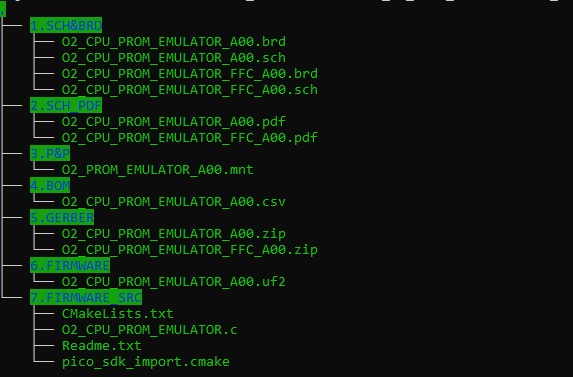
1.SCH_BRD – contains editable schematic and board files. Format is Eagle CAD, but they can be imported in other tools, like Kicad.
2.SCH_PDF- schematics in pdf format.
3.P&P – pick and place files
4.BOM
5.GERBER – gerber files
6.FIRMWARE – pre-built firmware to be flashed on the RP2040
7.FIRMWARE_SRC – firmware source code plus support files.
Notes:
-For first flashing, press the tactile switch and connect the USB cable. It will show up as a mass storage device. Drag and drop the .uf2 file.
Subsequent flashes can be done the same way or type “boot” followed by Enter key in the console. It will go into recovery mode and show up as a mass storage device.
-Not all bitstreams have been tested as I either don’t have those CPUs or the boards to solder them on.
